Day 37: CI/CD - A Step-by-Step Guide for GitHub Integration and Dockerized Builds
Experienced Senior DevOps Engineer with a passion for optimizing software development and delivery processes. Excels in designing and implementing CI/CD pipelines, automating infrastructure, and optimizing cloud architectures. Proficient in a wide range of DevOps tools such as Docker, Kubernetes, Jenkins, Ansible, Git, and AWS services. Strong collaborator, adept at fostering cross-functional teamwork and continuous improvement. Thrives in dynamic environments, utilizing problem-solving skills to overcome complex challenges. Dedicated to delivering high-quality software products on time and within budget.
Welcome to our comprehensive guide on setting up a seamless CI/CD pipeline using Jenkins, GitHub, and Docker. In this tutorial, we'll walk you through the entire process, from setting up Jenkins to integrating GitHub triggers and orchestrating Dockerized builds. Let's dive in!
NOTE: Go through my previous blog(https://techwithankush.hashnode.dev/day-36-cicd-step-by-step-guide-to-setting-up-jenkins-master-slave-architecture) before setting up the below steps.
Step 1: Kickstart the CI/CD Journey with Jenkins and GitHub Integration
Login to Jenkins: Fire up your Jenkins instance and log in.
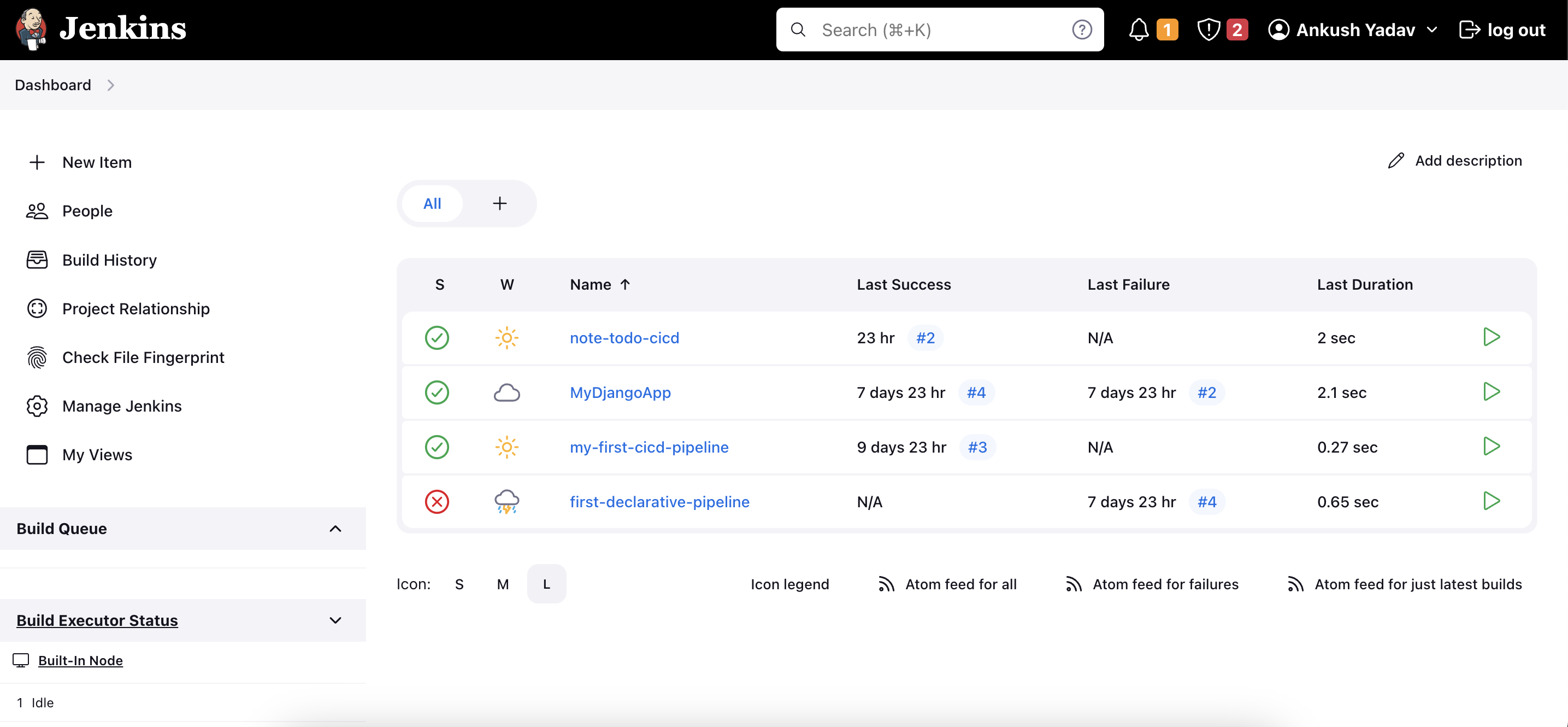
Create a Pipeline Script: Set up a new pipeline and define your stages and steps. Be sure to configure a designated development agent for this pipeline.
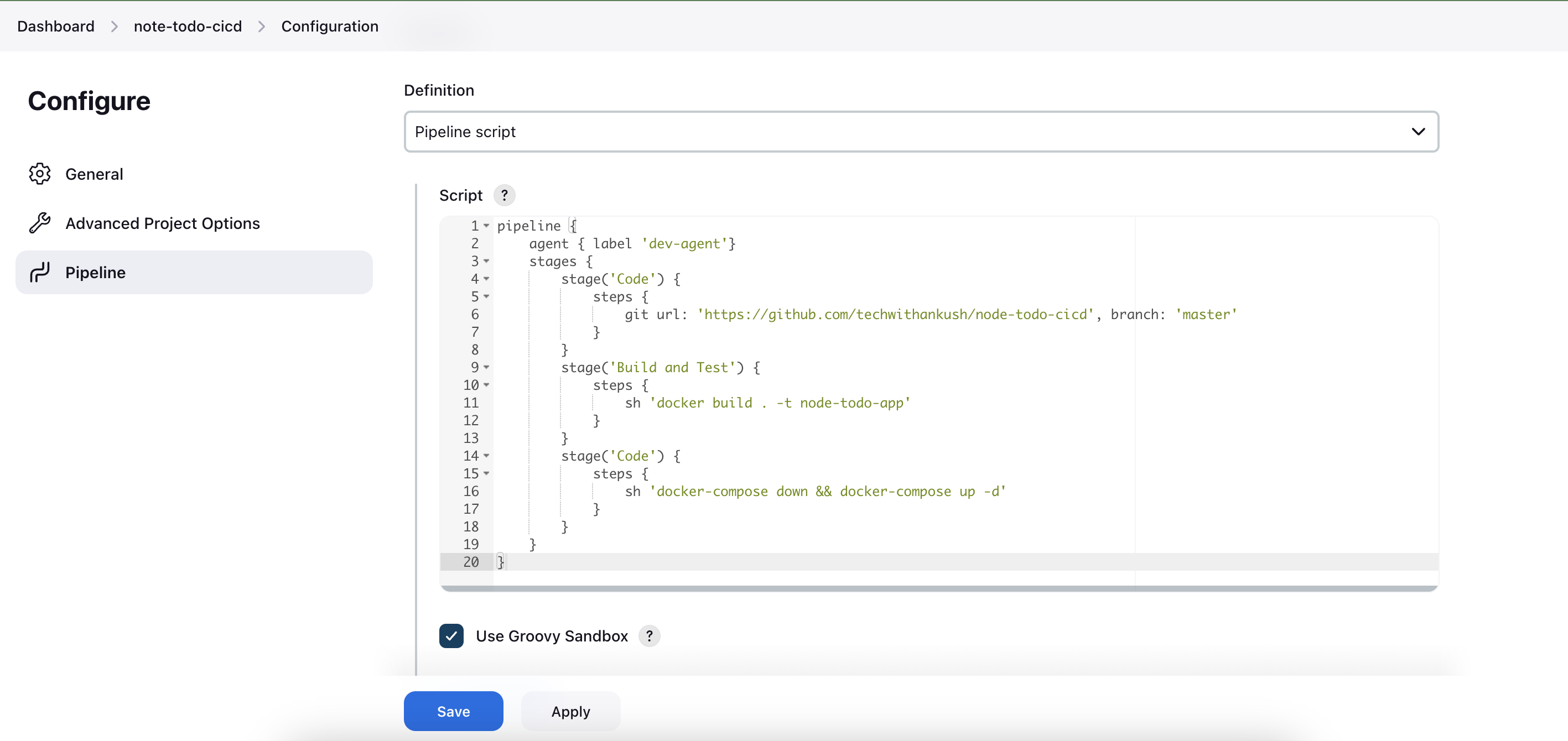
GitHub Webhook Trigger: Select "GitHub hook trigger for GITScm polling" to enable automatic pipeline triggering whenever there's a new commit in your GitHub repository.
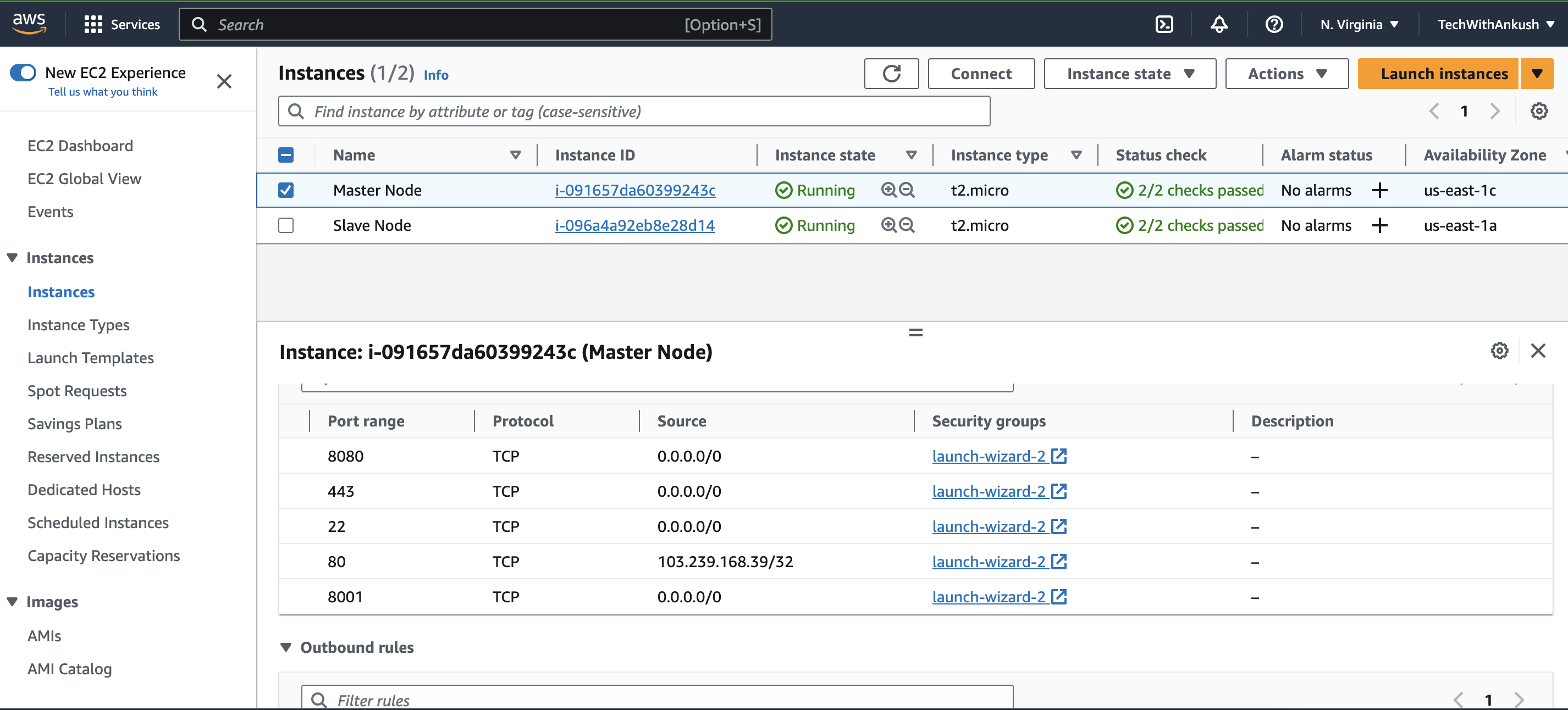
Step 2: Secure the Gateway: Configuring Security Group
Inbound Rule for Port 8080: Make sure your Jenkins master server is accessible. Check your security group settings and ensure that inbound traffic on port 8080 is allowed.
Step 3: GitHub Integration: Adding Webhooks
Repository Settings: Navigate to your GitHub repository and access the repository settings.
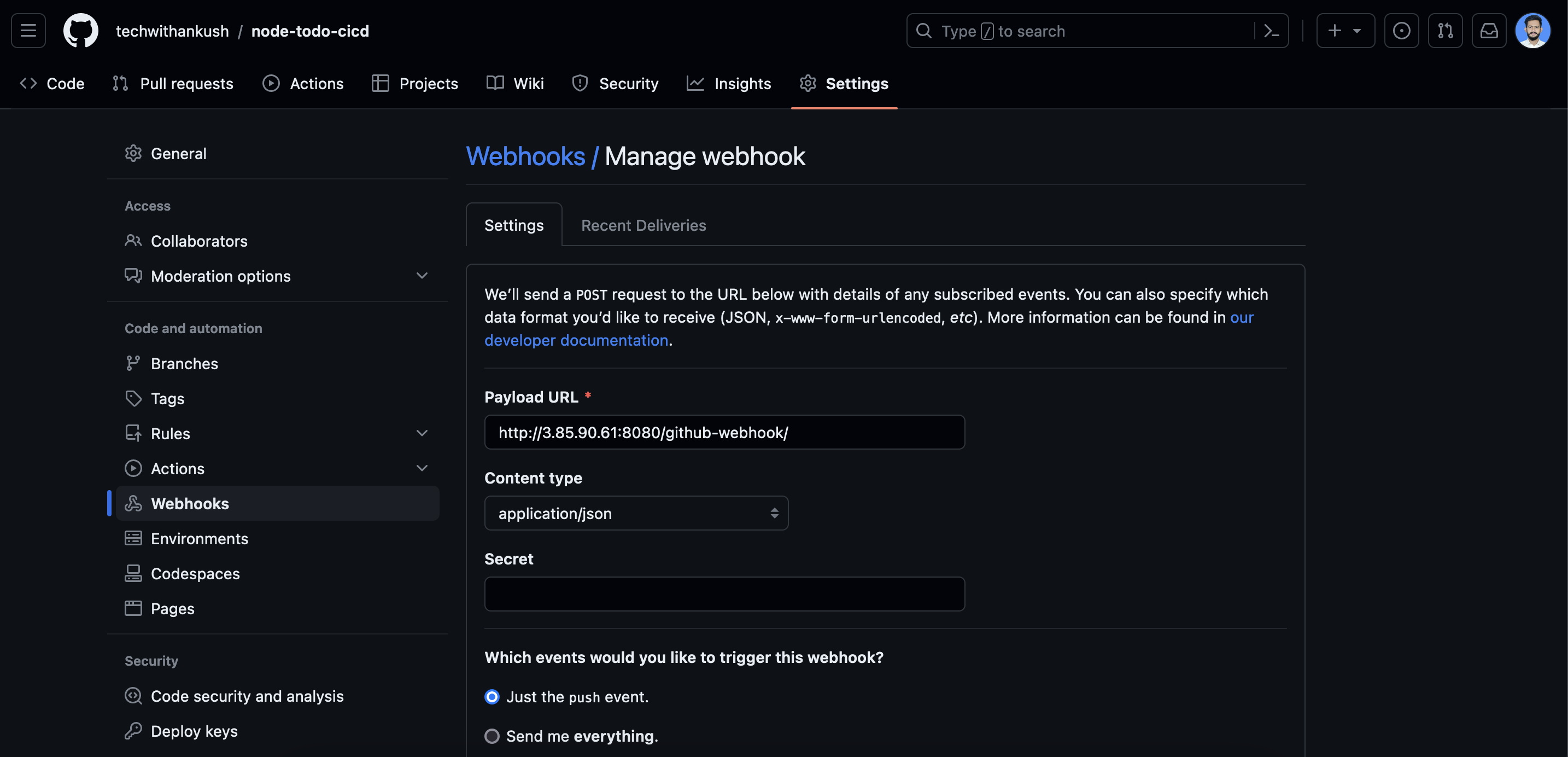
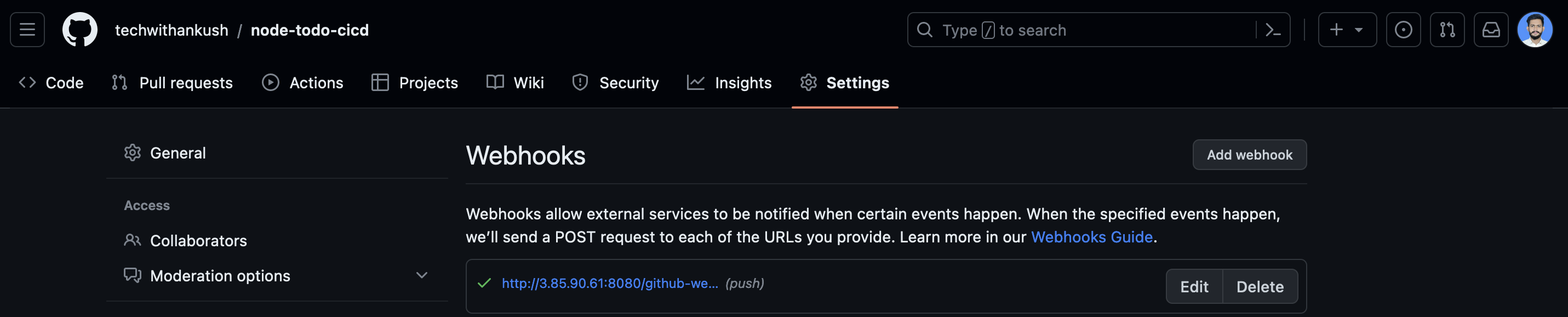
Webhook Configuration: Add a new webhook. This will enable GitHub to notify Jenkins whenever there's a new commit or update in your repository.
Step 4: Dockerize the Environment on the Slave Server
Install Docker and Docker Compose: On your designated slave server, install Docker and Docker Compose using
apt-get. These tools will help you containerize your builds and make deployment smoother.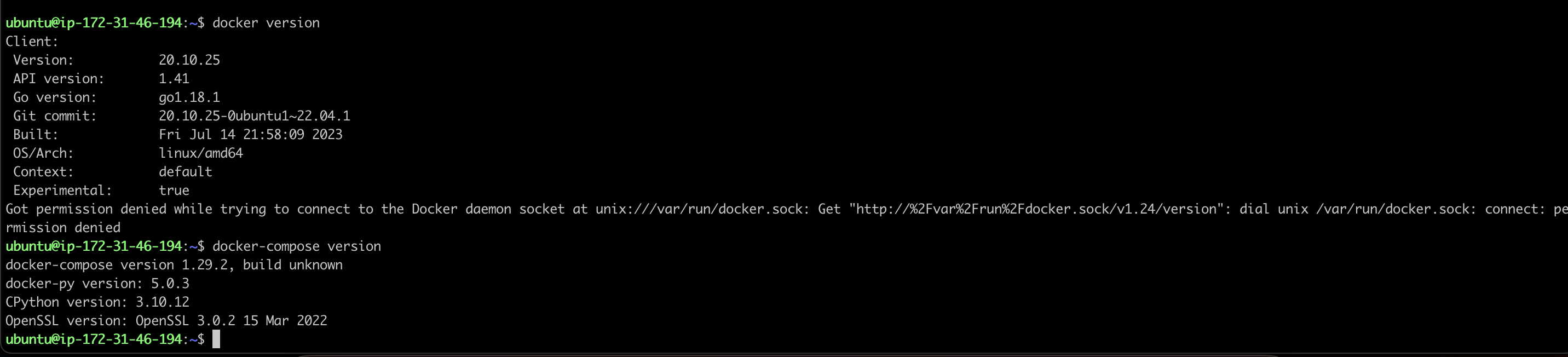
Step 5: Preparing the Slave Server for Docker Use
Add User to Docker Group: To run Docker commands without using
sudo, add your user to the Docker group using the commandsudo usermod -aG docker $USER.Reboot the Slave Server: To ensure that the changes take effect, reboot the slave server using
sudo reboot.
Step 6: Making GitHub Repository Changes and Verifying Builds in Jenkins:
Congratulations on reaching the final step of our CI/CD journey! Now, let's make some changes to your GitHub repository, trigger a build in Jenkins, and witness the magic of automation in action.
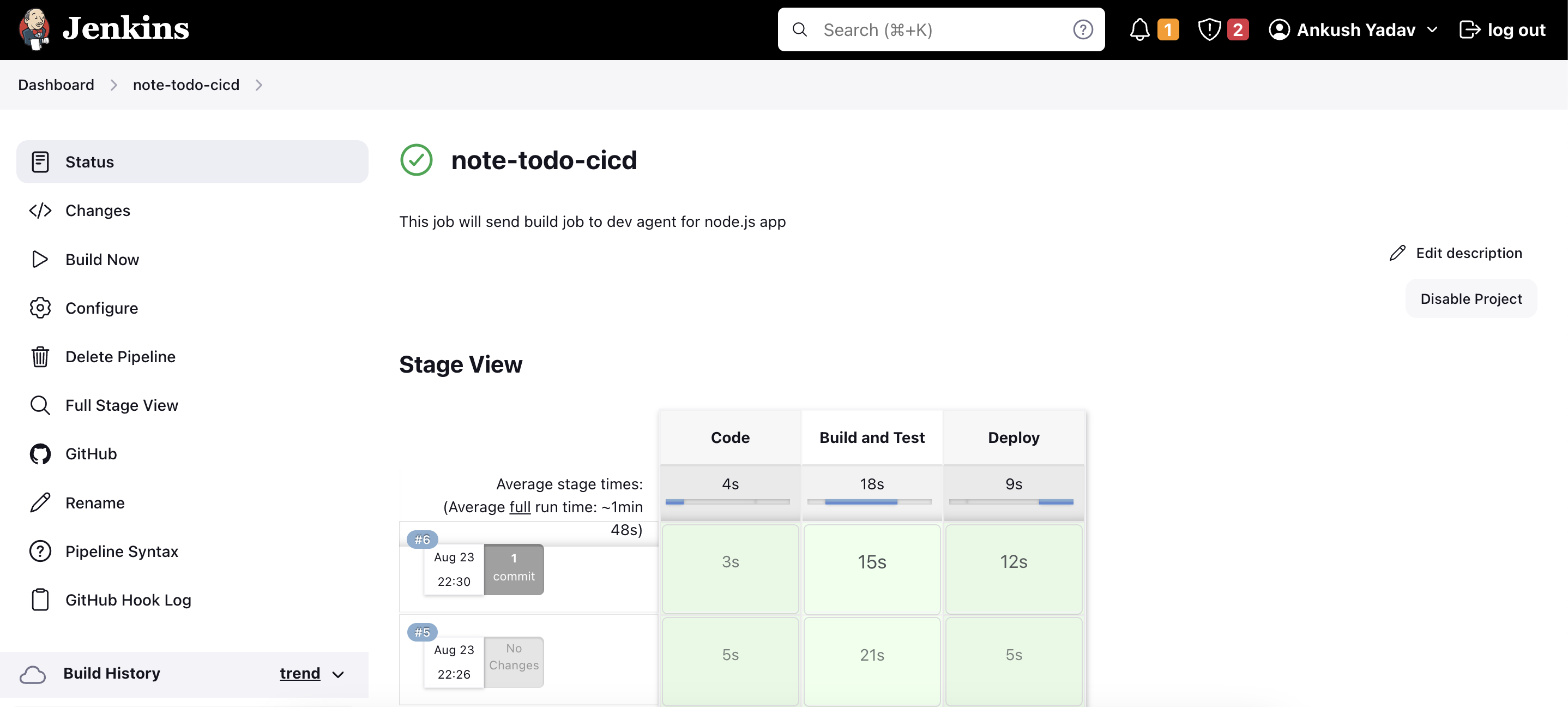
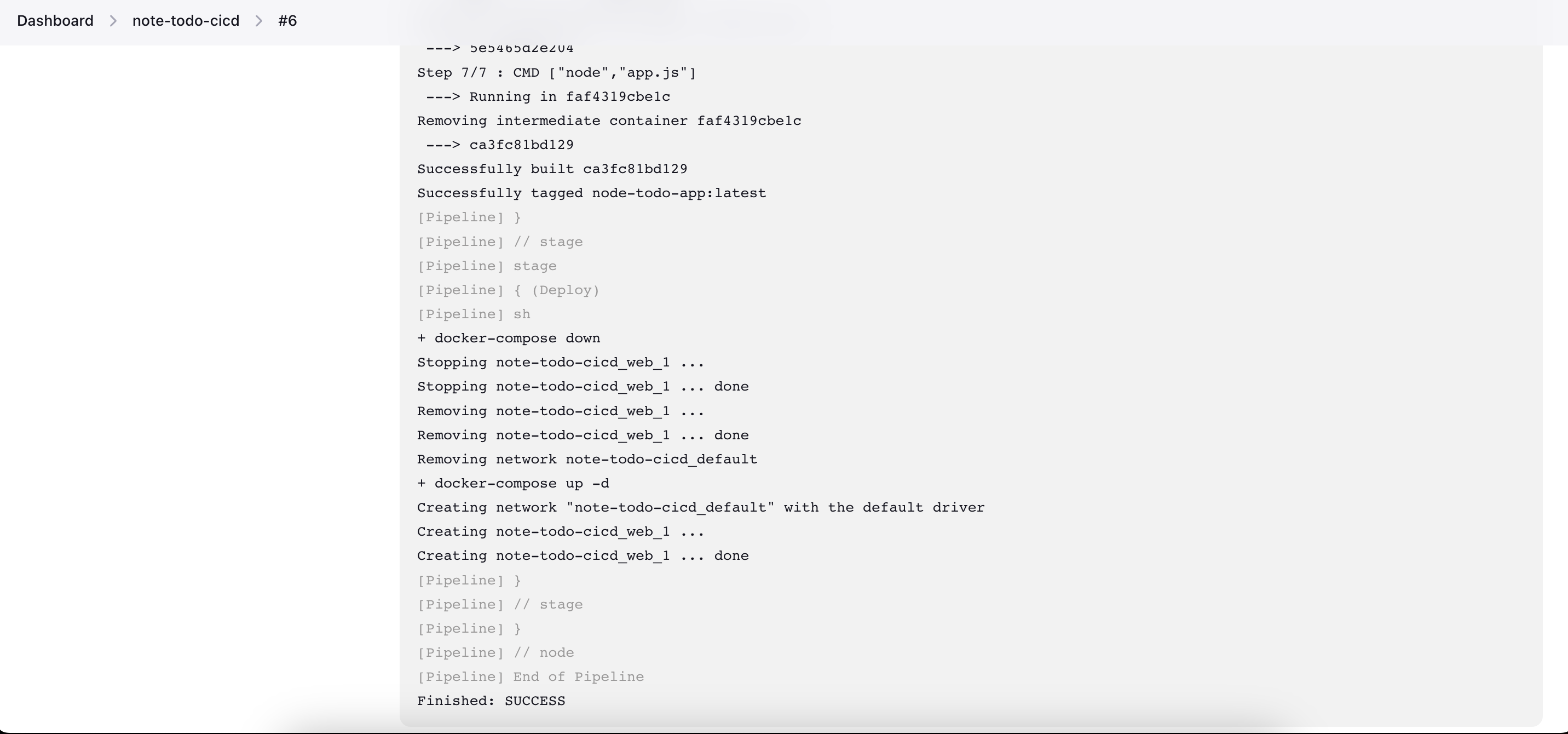
Celebrate Your Success!
By following these steps, you've successfully set the stage for a streamlined CI/CD pipeline. Jenkins is ready to react to GitHub updates, and your Dockerized environment is prepared to build and deploy efficiently. With each commit, Jenkins will automatically trigger the pipeline, ensuring that your application remains up-to-date and well-tested.
Conclusion: Empowering Your CI/CD Workflow
In this guide, we've explored the dynamic synergy between Jenkins, GitHub, and Docker to create a powerful CI/CD ecosystem. Jenkins facilitates automated builds triggered by GitHub commits, while Docker ensures consistent and portable deployments.
As you continue on your CI/CD journey, keep exploring further optimizations, such as advanced pipeline scripting, scaling your build agents, and enhancing your Docker container management. The integration of these technologies not only accelerates your development process but also fosters a culture of continuous improvement in your software delivery.
Stay tuned for more in-depth guides on optimizing your development practices, and happy coding!
Thanks for reading! I hope you found this blog informative and insightful. For more technology-related content, don't forget to follow me on GitHub and LinkedIn


