Day 5: Linux - File System Hierarchy
Experienced Senior DevOps Engineer with a passion for optimizing software development and delivery processes. Excels in designing and implementing CI/CD pipelines, automating infrastructure, and optimizing cloud architectures. Proficient in a wide range of DevOps tools such as Docker, Kubernetes, Jenkins, Ansible, Git, and AWS services. Strong collaborator, adept at fostering cross-functional teamwork and continuous improvement. Thrives in dynamic environments, utilizing problem-solving skills to overcome complex challenges. Dedicated to delivering high-quality software products on time and within budget.
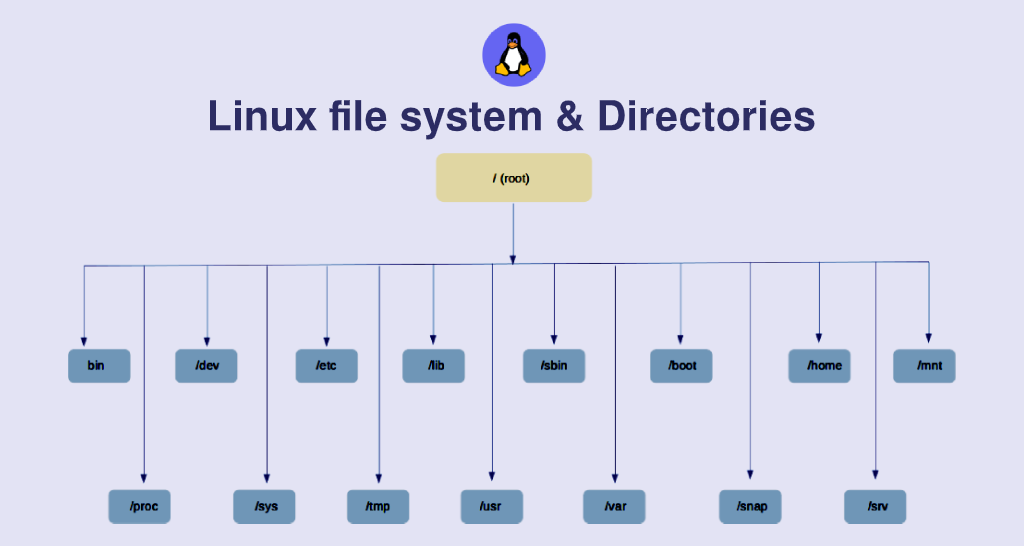
Here's a comprehensive list of the file hierarchy in Linux:
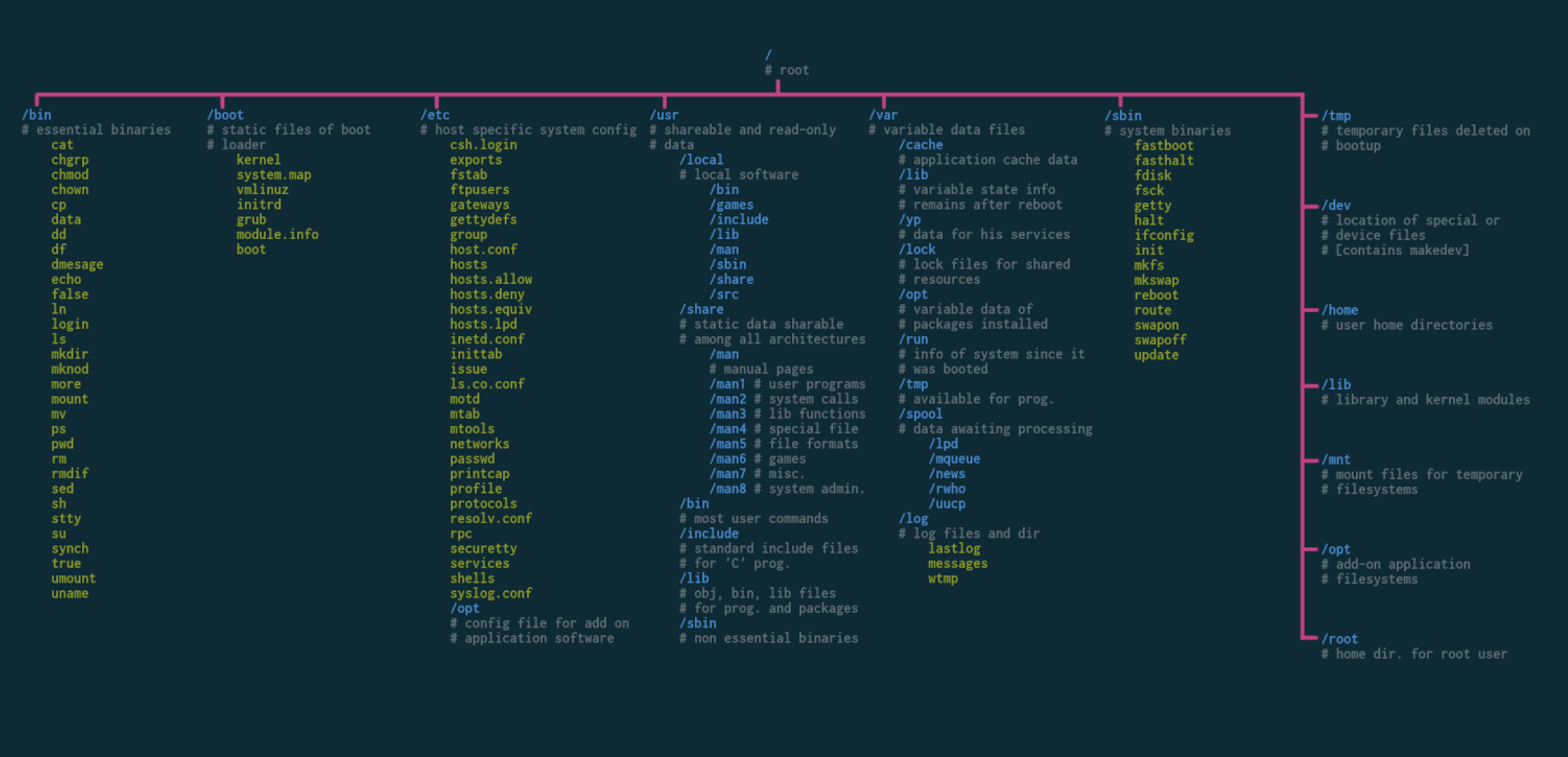
📂 /: The root directory, also known as the top-level directory. All other directories are organized within it.

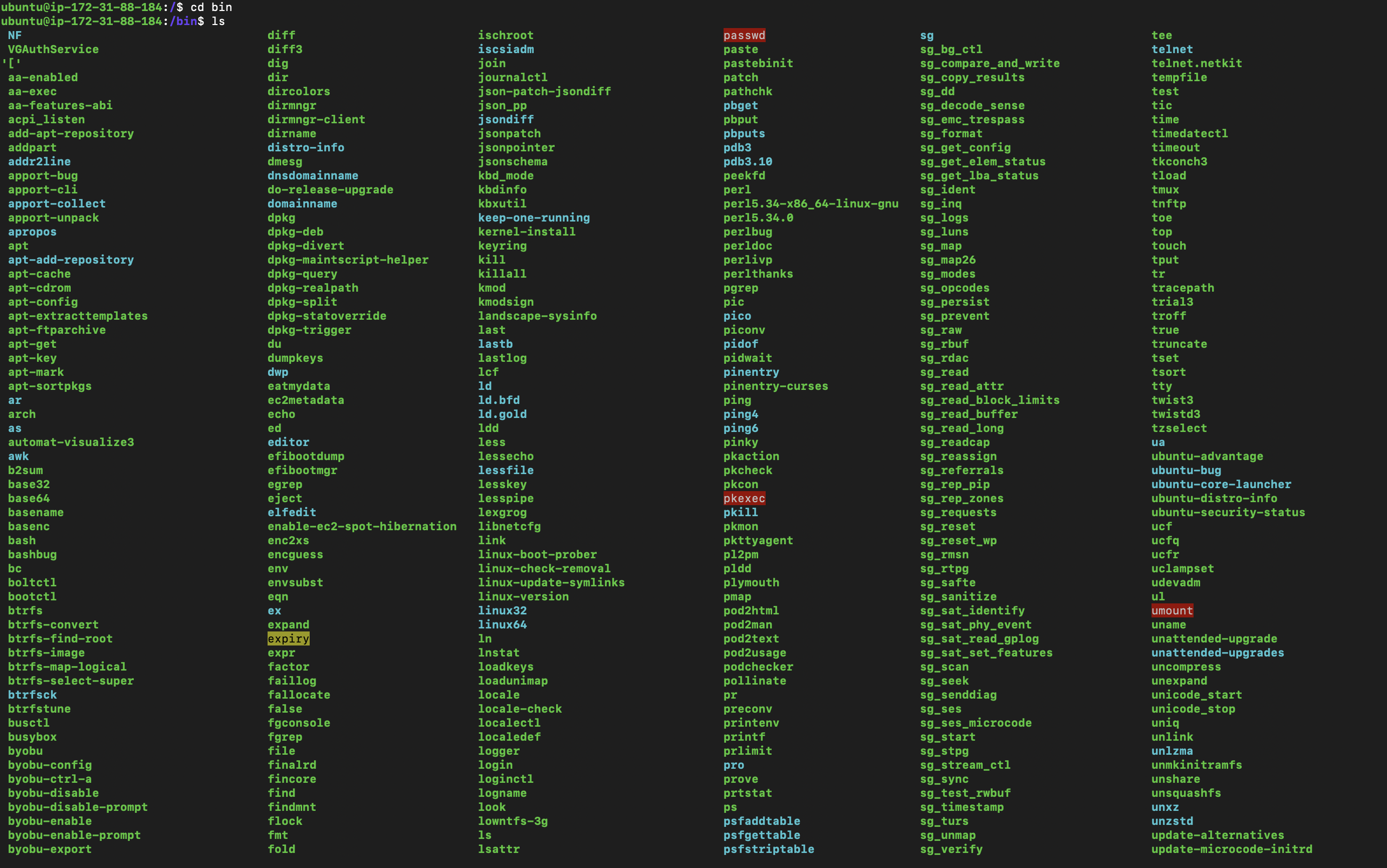
📂 /bin: Essential user binaries (executable programs) available to all users. Examples include /bin/ls (list files), /bin/cp (copy files), and /bin/rm (remove files).
📂 /boot: Boot loader and kernel files used during system booting. Examples of files found here include the Linux kernel (/boot/vmlinuz) and boot configuration files (/boot/grub in some distributions).

📂 /dev: Device files representing hardware devices on the system. Examples include /dev/sda (hard drive), /dev/ttyUSB0 (USB serial device), and /dev/null (a special file that discards data written to it).

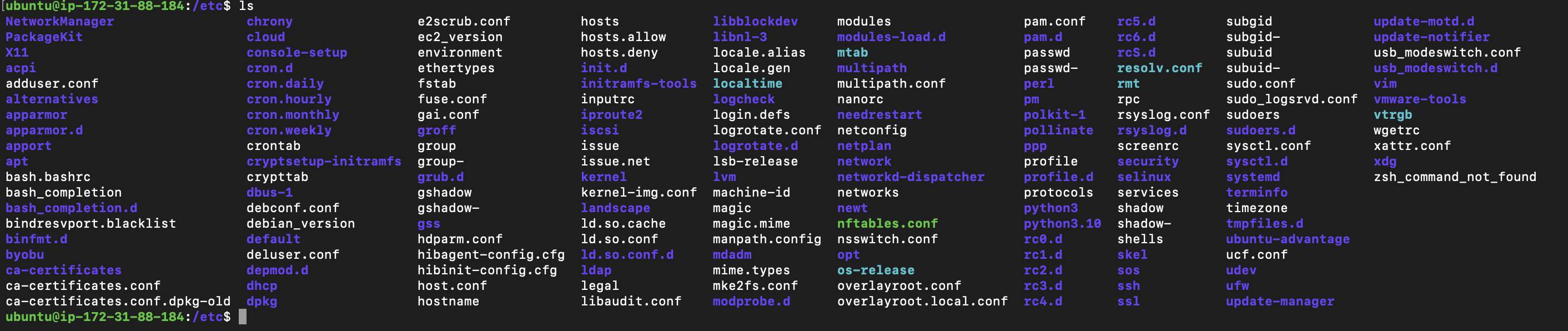
📂 /etc: System-wide configuration files. Examples include /etc/passwd (user account information), /etc/hosts (mapping of hostnames to IP addresses), and /etc/apt/sources.list (package repository configuration in Debian-based systems).
📂 /home: Home directories for regular users. For example, if the username is "john," their home directory would be /home/john. Each user typically has their own directory here to store personal files and configurations.

📂 /lib: Shared libraries needed by programs in /bin and /sbin. Examples include /lib/libc.so (C library), /lib/libm.so (math library), and /lib/ld-linux.so (dynamic linker/loader).

📂 /media: Mount point for removable media devices like USB drives. When you insert a USB drive, it may appear under /media with a name like /media/usb.

📂 /mnt: Mount point for temporarily mounted file systems. For example, if you mount a network share or an external drive, it might be accessible under /mnt.

📂 /opt: Optional software packages installed by the system administrator. Examples of software installed here might include /opt/mysql (MySQL database server) or /opt/anaconda (Anaconda Python distribution).

📂 /proc: A virtual file system providing information about running processes and system status. For example, you can find details about the CPU (/proc/cpuinfo) or view running processes (/proc/[PID]/status).

📂 /root: The /root directory serves as the home directory for the root user, which is the superuser or administrator of the system.

📂 /run: Runtime files and process information relevant to the current boot. It may include files like /run/utmp (user login records) or /run/systemd (systemd runtime files in some distributions).

📂 /sbin: System binaries (executable programs) for system administration tasks. Examples include /sbin/reboot (reboot the system), /sbin/ifconfig (configure network interfaces), and /sbin/fsck (filesystem check).
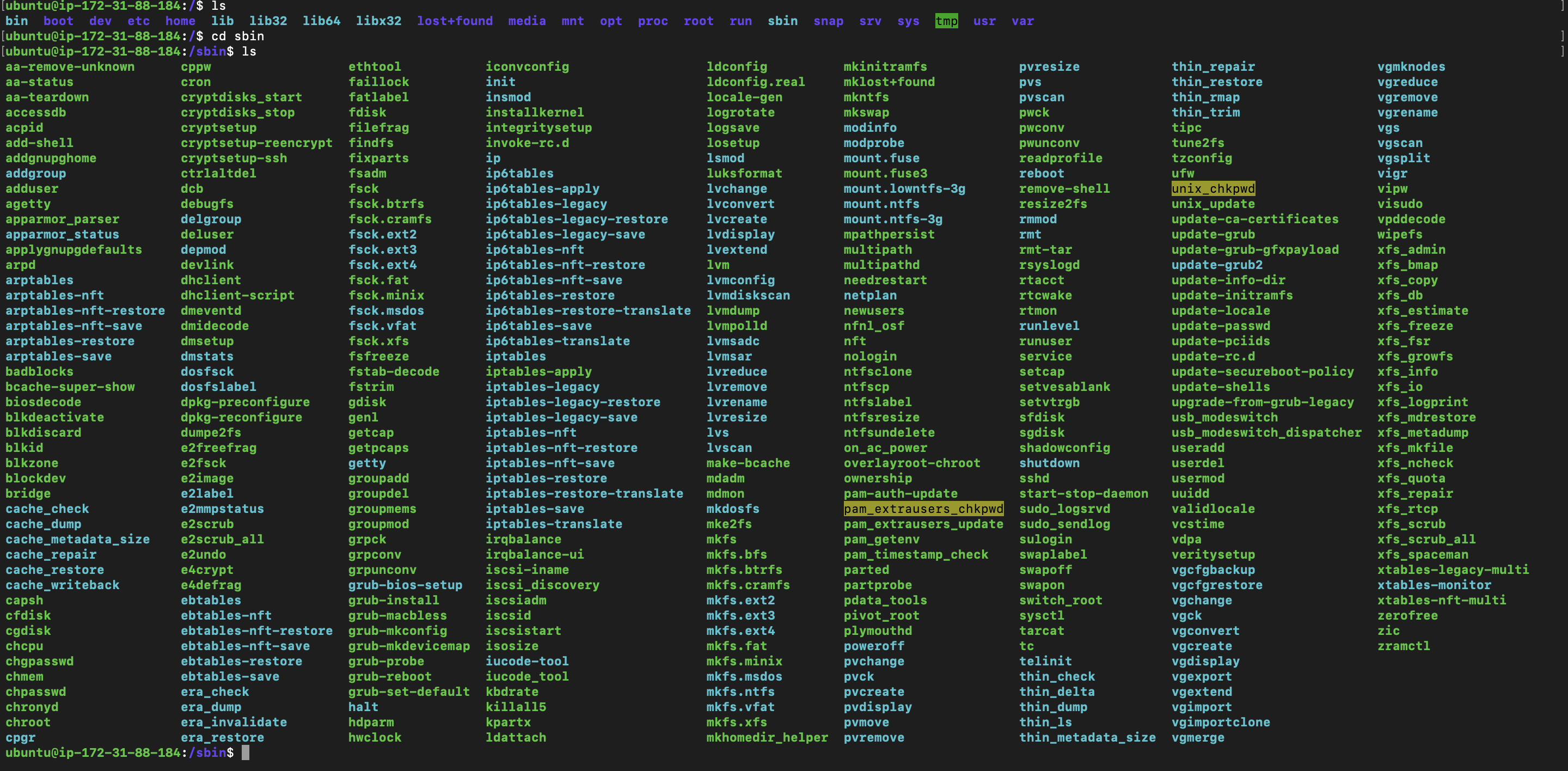
📂 /srv: Data files for services provided by the system. For example, web servers may store website files under /srv/www or file servers may store shared files under /srv/samba.

📂 /sys: A virtual file system that exposes kernel data structures. For instance, you can find information about the CPU (/sys/devices/system/cpu) or control system features (/sys/class).

📂 /tmp: Temporary files that are cleared upon system reboot. It's typically used for storing temporary data by various programs and processes.

📂 /usr: Secondary hierarchy containing user utilities, libraries, and documentation. Examples of user utilities in /usr/bin include /usr/bin/gcc (GNU Compiler Collection), /usr/bin/python (Python interpreter), and /usr/bin/zip (compression utility).

📂 /var: Variable files such as log files, spool directories, and temporary files. Log files are stored in /var/log and can include files like /var/log/syslog (system log) or /var/log/auth.log (authentication log).

This list covers the main directories in the Linux file hierarchy. Each directory has its purpose and contains specific types of files essential for system operation, user applications, and configuration. Understanding the file hierarchy helps navigate and manage the Linux system effectively.


